
The FL Studio Plugins Every Producer Needs to Sound Industry-Ready
FL Studio has a reputation for being beginner-friendly, but that reputation can sometimes hide how powerful the software really is. Many producers rush to buy expensive third-party plugins before they understand the tools already sitting inside the DAW. The truth is simple: you can build polished beats, clean vocal chains, hard-hitting drums, atmospheric melodies and competitive masters using FL Studio’s native plugins if you know which ones matter and how to use them with discipline.
Sounding industry-ready is not about owning every plugin on the internet. It is about understanding balance, tone, movement, space, loudness and arrangement. A weak producer can ruin a mix with premium plugins. A skilled producer can make a stock plugin chain sound expensive. FL Studio gives producers enough tools to shape professional records, but the secret is choosing the right plugins for the right job instead of throwing effects everywhere like glitter on wet cement.
Below are the FL Studio plugins every producer should master to build beats, mix vocals, polish drums and prepare music for release.
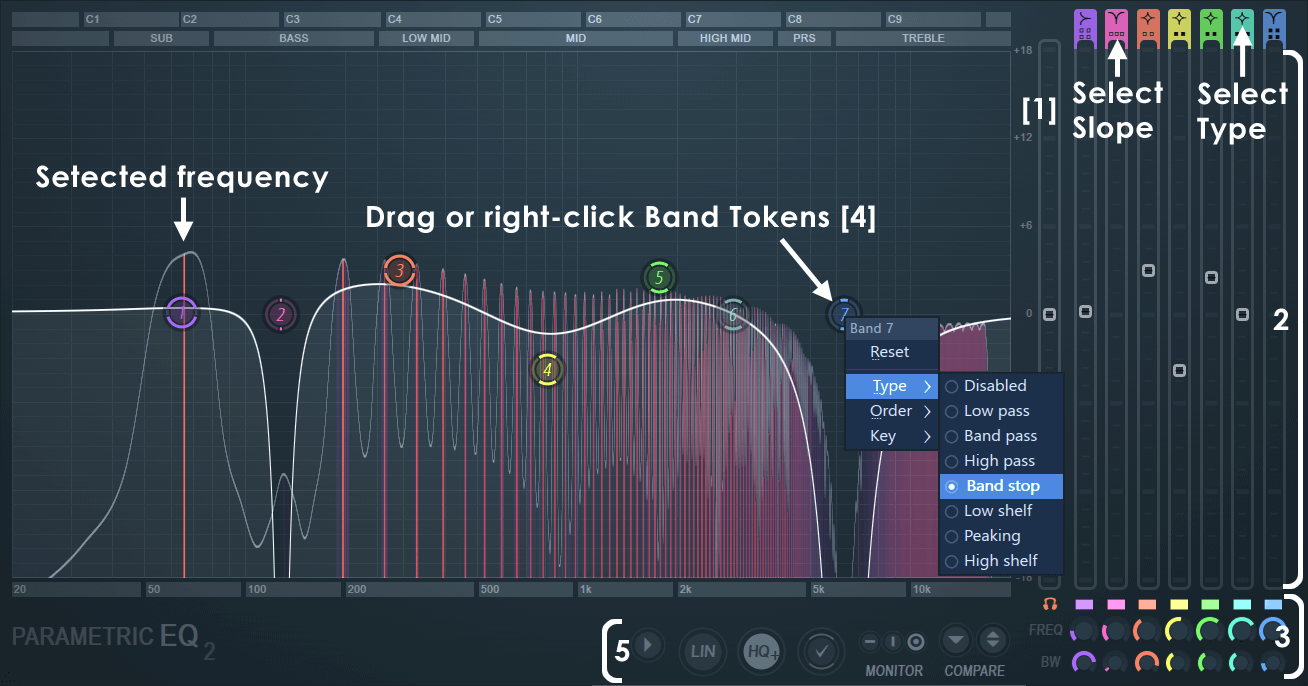
Fruity Parametric EQ 2 is one of the most essential plugins in FL Studio because every professional mix begins with frequency control. EQ is how producers remove mud, reduce harshness, create space between instruments and make vocals sit properly in the beat. Without EQ, even the best melody or drum pattern can sound cloudy.
For producers trying to sound industry-ready, Fruity Parametric EQ 2 should be used on vocals, drums, bass, melodies, samples and the master bus when needed. The goal is not to carve the life out of every sound. The goal is to remove what gets in the way. A vocal may need low-end rumble removed. A piano may need less boxiness. A hi-hat may need less sharpness. A kick may need space around the low end.
This plugin teaches one of the most important lessons in production: clarity is created by subtraction as much as addition.
Best for: cleaning vocals, removing mud, shaping drums, balancing beats, creating space in the mix.
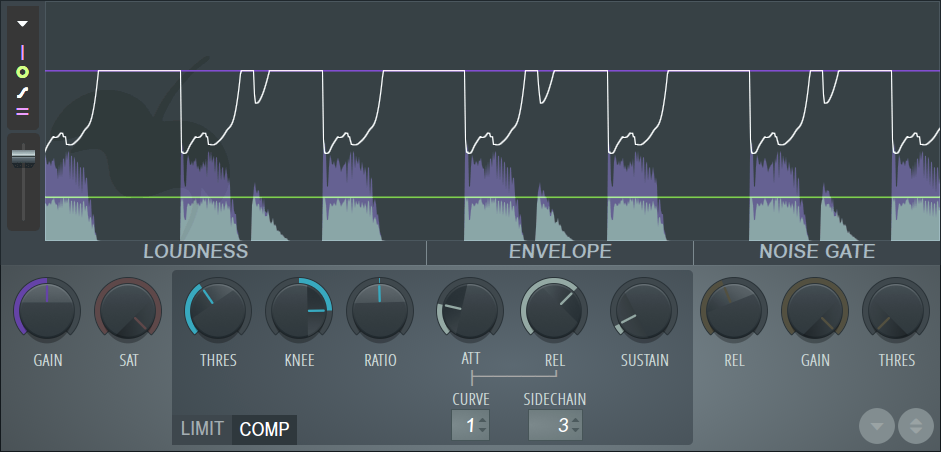
Fruity Limiter is much more than a basic limiter. It can be used for compression, peak control, sidechain pumping and dynamic shaping. For producers, this plugin is especially useful when trying to make drums hit harder, vocals feel more controlled and bass elements move properly with the kick.
One of the most common uses of Fruity Limiter is sidechain compression. This is where the kick briefly pushes down the bass or melody, creating room and movement. In trap, EDM, Afrobeat, pop, house and electronic music, sidechain can make the rhythm feel more alive. It can also prevent the low end from turning into a muddy collision.
Fruity Limiter can also help control vocal peaks. A vocal performance may have certain words that jump out too aggressively. Compression can smooth those moments and make the vocal feel more consistent. The danger is over-compression. If everything is crushed, the track loses emotion. The best producers use compression to control energy, not suffocate it.
Best for: vocal compression, sidechain, controlling peaks, tightening drums, managing dynamics.
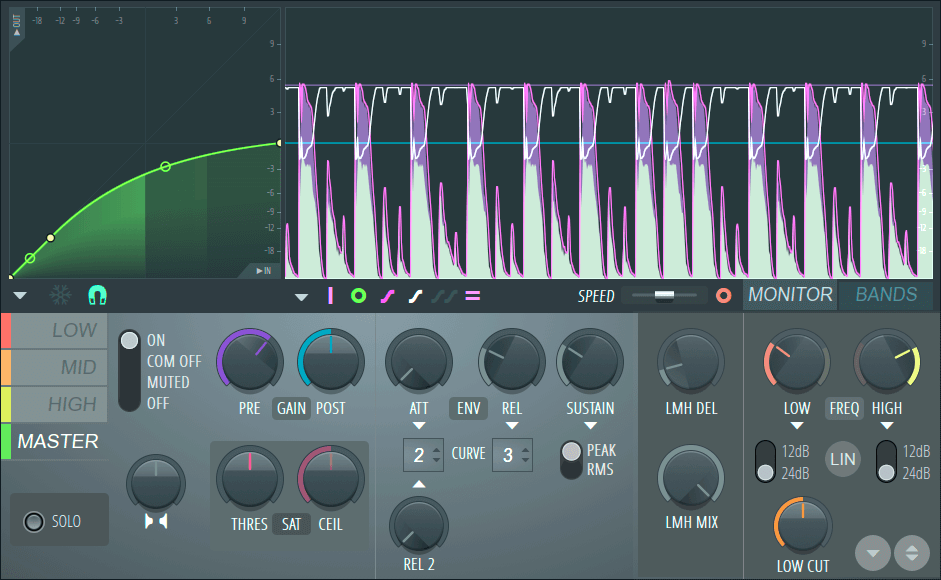
Maximus is one of FL Studio’s strongest stock plugins for producers who want louder, cleaner and more polished tracks. It is a multiband compressor, limiter and maximizer, which means it can process lows, mids and highs separately. That makes it powerful, but also dangerous in the hands of someone who does not listen carefully.
For mastering, Maximus can add density and loudness while helping control different frequency bands. It can tighten the low end, smooth the midrange and add presence to the high end. However, the goal should never be loudness at any cost. Industry-ready music needs impact, but it also needs depth. A loud master that feels flat and distorted is not professional. It is just exhausted.
Maximus is also useful inside the mix. You can use it on drums to add punch, on vocals to control dynamics, or on buses to glue sounds together. The key is restraint. A little processing can make a track feel expensive. Too much can make it feel plastic.
Best for: mastering, drum bus processing, vocal control, multiband compression, loudness shaping.
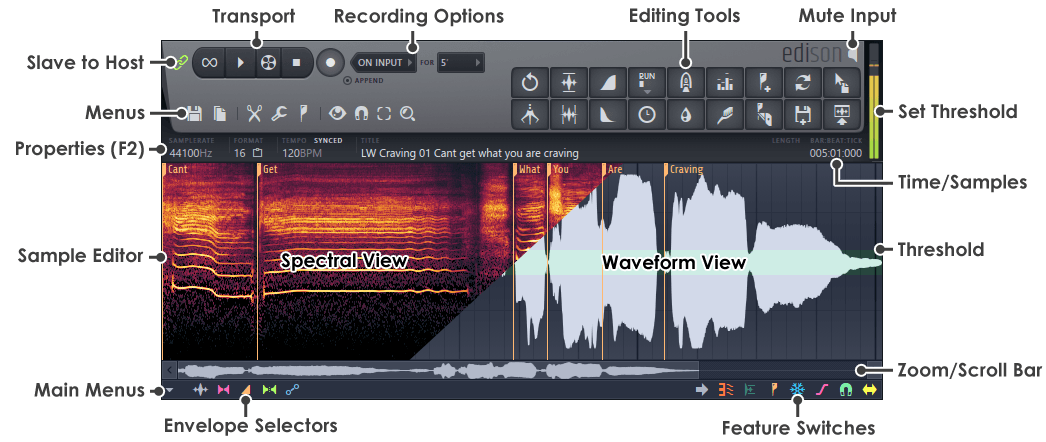
Edison is one of the most underrated tools in FL Studio. It is an audio recorder, editor and cleanup utility that can help producers fix, chop and manipulate audio quickly. If you record vocals, sample records, clean noise, reverse sounds or prepare one-shots, Edison should be part of your workflow.
For vocal production, Edison is useful for trimming takes, removing silence, cleaning small noises and preparing recordings before they enter the main mixing chain. For beatmakers, it is excellent for chopping samples, reversing textures, creating transitions and capturing quick audio ideas.
Industry-ready production depends on clean source material. If the recording is messy, the mix has to fight harder. Edison helps solve problems before they become mixing disasters.
Best for: vocal editing, sample chopping, noise cleanup, recording, reversing audio, preparing clean takes.
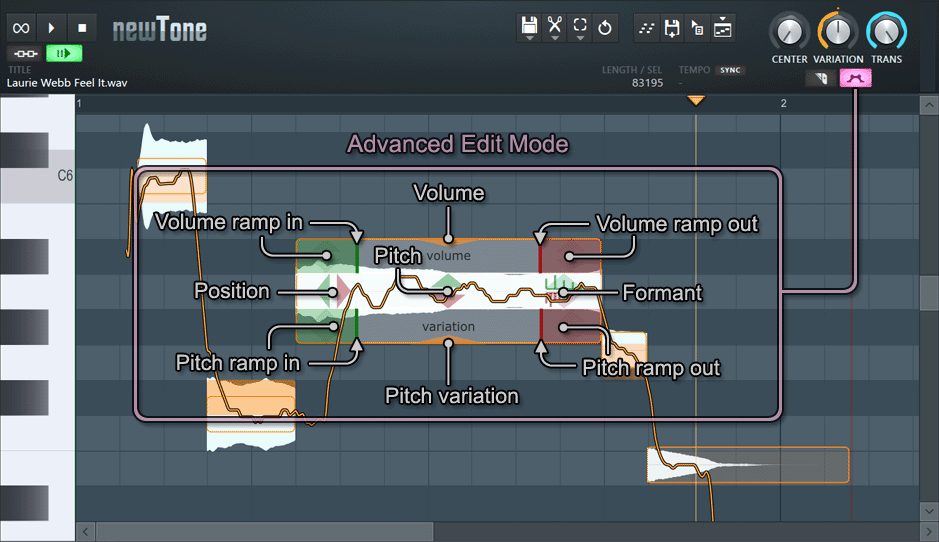
NewTone is FL Studio’s pitch-correction and vocal-editing tool. For producers working with singers, rappers or melodic vocalists, it can be extremely useful. Modern music often expects vocals to sound controlled and polished, but that does not always mean robotic. NewTone gives producers the ability to correct pitch, adjust timing and refine vocal performances.
The best use of vocal tuning is transparent correction. A slightly flat note can be adjusted. A phrase can be tightened. A harmony can be cleaned up. The goal is to preserve the emotion while improving the technical execution. Heavy tuning can work as an effect in certain genres, but it should be a creative decision, not a cover-up for a weak vocal chain.
For producers trying to create industry-ready tracks inside FL Studio, NewTone is especially valuable because vocals are usually the centre of the song. If the vocal sounds unfinished, the entire record feels unfinished.
Best for: vocal tuning, pitch correction, timing adjustment, harmonies, modern vocal polish.
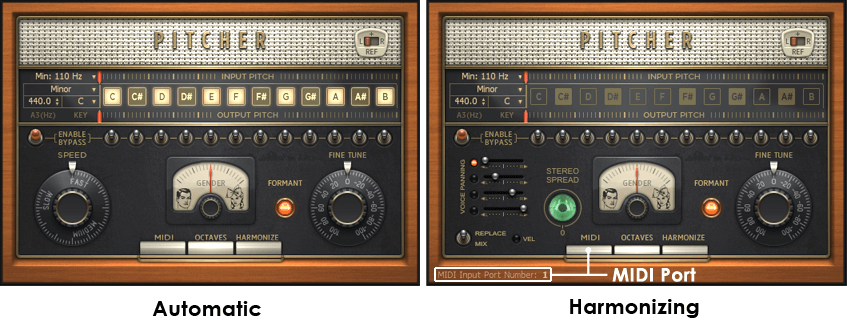
Pitcher is another important FL Studio vocal tool, especially for producers who want real-time pitch correction. While NewTone is more detailed and edit-based, Pitcher is useful for instant vocal tuning, melodic effects and harmony experimentation.
For genres like trap, pop, Afrobeat, R&B, hyperpop and melodic rap, Pitcher can help create a cleaner, more contemporary vocal sound. It can also be used creatively to generate harmonized textures or stylized vocal effects. However, producers should avoid relying on pitch correction alone. A great vocal sound still needs good recording technique, EQ, compression, de-essing, reverb and delay.
Pitcher is best when used with intention. It can add modern shine, but it should serve the emotion of the record.
Best for: real-time pitch correction, melodic rap vocals, pop vocals, harmonies, modern vocal effects.
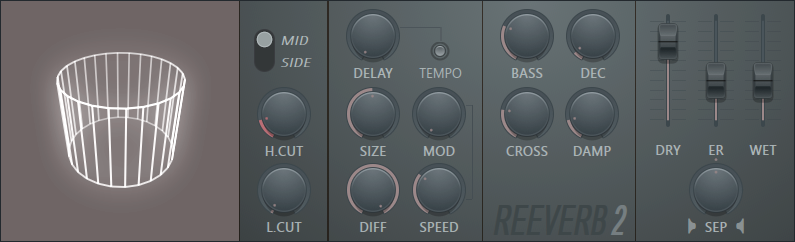
Fruity Reverb 2 is essential because industry-ready music needs depth. Dry sounds can feel close and intimate, but too much dryness can make a track feel unfinished. Reverb creates space around vocals, drums, melodies and effects. It can make a bedroom recording feel larger, more emotional and more immersive.
The mistake many beginners make is using too much reverb. A vocal drowning in reverb may sound dreamy alone, but it can disappear inside the beat. Professional mixes often use reverb carefully, sometimes with EQ after the reverb to remove low-end mud or harsh high frequencies.
For music production, Fruity Reverb 2 works well on vocals, snares, claps, pads, guitars and transitions. It can create anything from a small room feel to a wide atmospheric wash.
Best for: vocal space, snare depth, ambient textures, emotional atmosphere, cinematic effects.
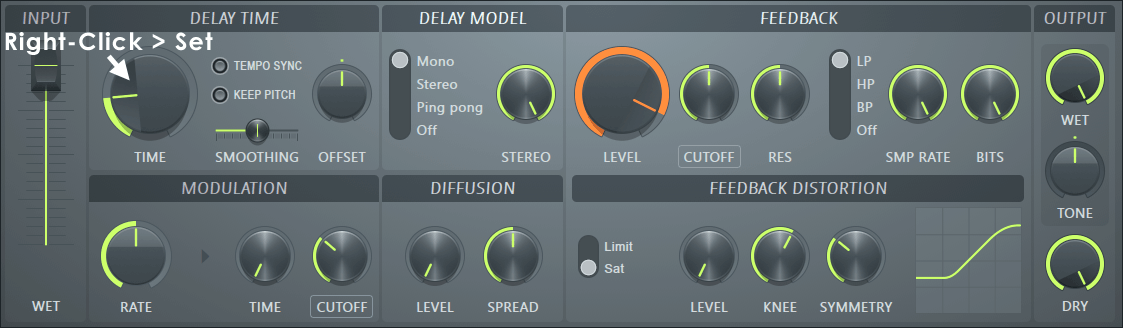
Fruity Delay 3 is one of the most useful creative mixing tools in FL Studio. Delay can make vocals feel wider, hooks feel more memorable and transitions feel more dynamic. It is especially important in modern vocal production, where subtle echoes often add rhythm and personality without overwhelming the main performance.
For producers, delay can be used on lead vocals, ad-libs, guitar loops, synth melodies and effects. A short delay can add width. A longer delay can create a dreamy echo. Ping-pong delay can make a sound bounce across the stereo field. When automated, delay can make certain words or phrases jump out at key moments.
An industry-ready vocal chain often uses both reverb and delay, but delay is usually easier to control because it can add space without washing out the vocal.
Best for: vocal throws, ad-libs, stereo width, melodic movement, transitions.
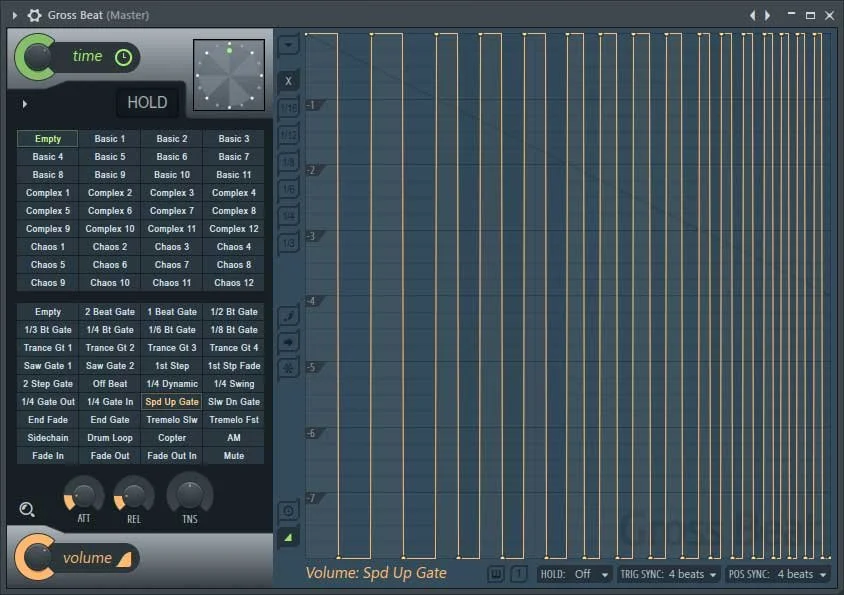
Gross Beat is one of the most recognizable FL Studio plugins. It is used for time manipulation, gating, stutters, half-time effects, tape stops and rhythmic glitches. For producers making trap, drill, EDM, pop, experimental R&B or sample-based beats, Gross Beat can instantly make a loop feel more dynamic.
One of its most popular uses is the half-time effect, where melodies become darker, slower and more hypnotic. This can transform a simple loop into something moodier and more dramatic. Gross Beat can also create rhythmic volume patterns, making static chords or pads feel more alive.
The danger is overuse. Gross Beat is powerful, but if every section has the same stutter or half-time trick, the beat can sound predictable. Use it to create contrast, not as a substitute for arrangement.
Best for: half-time effects, stutters, gating, transitions, sample flips, rhythmic movement.
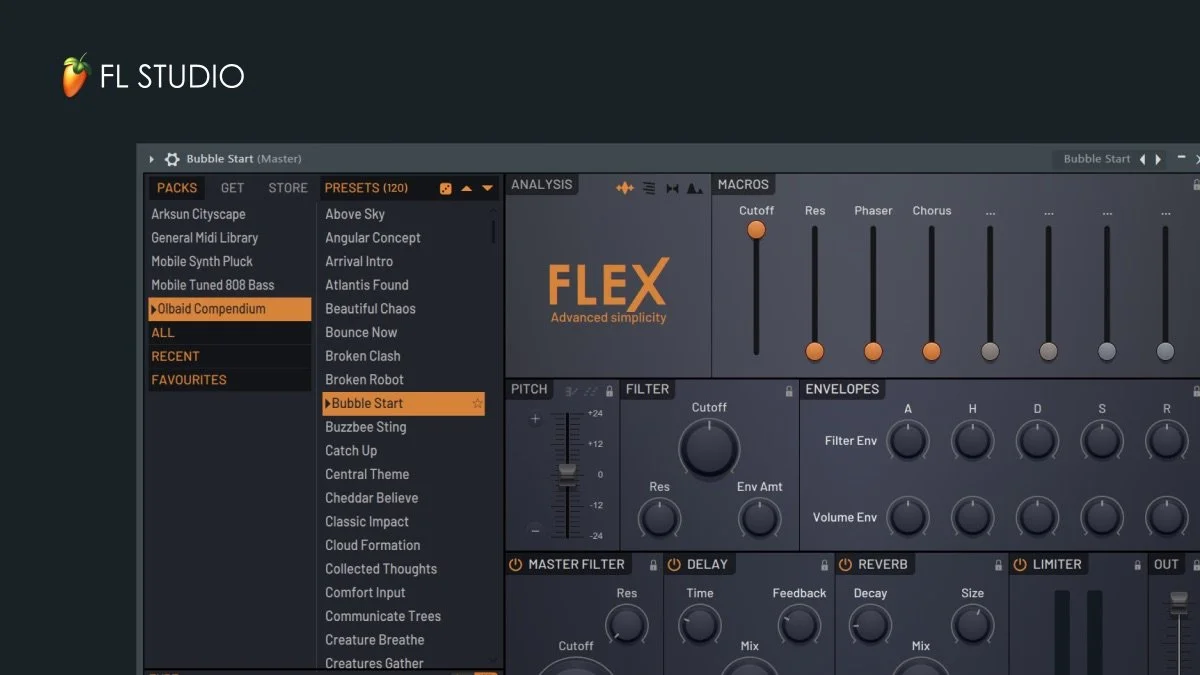
FLEX is one of the best FL Studio instruments for producers who want quality sounds quickly. It offers presets for keys, basses, pads, plucks, leads, orchestral textures and modern electronic sounds. For beatmakers, it is useful because it helps reduce the time wasted searching for usable sounds.
A strong producer still needs taste. Presets are not automatically professional. The industry-ready sound comes from choosing the right sound, arranging it properly, EQing it in context and adding movement. FLEX gives producers a strong starting point, but the final result depends on musical decisions.
For beginners and intermediate producers, FLEX is one of the easiest ways to build polished melodies without getting buried in complicated synthesis.
Best for: melodies, pads, basses, plucks, keys, quick beat ideas, modern sound selection.
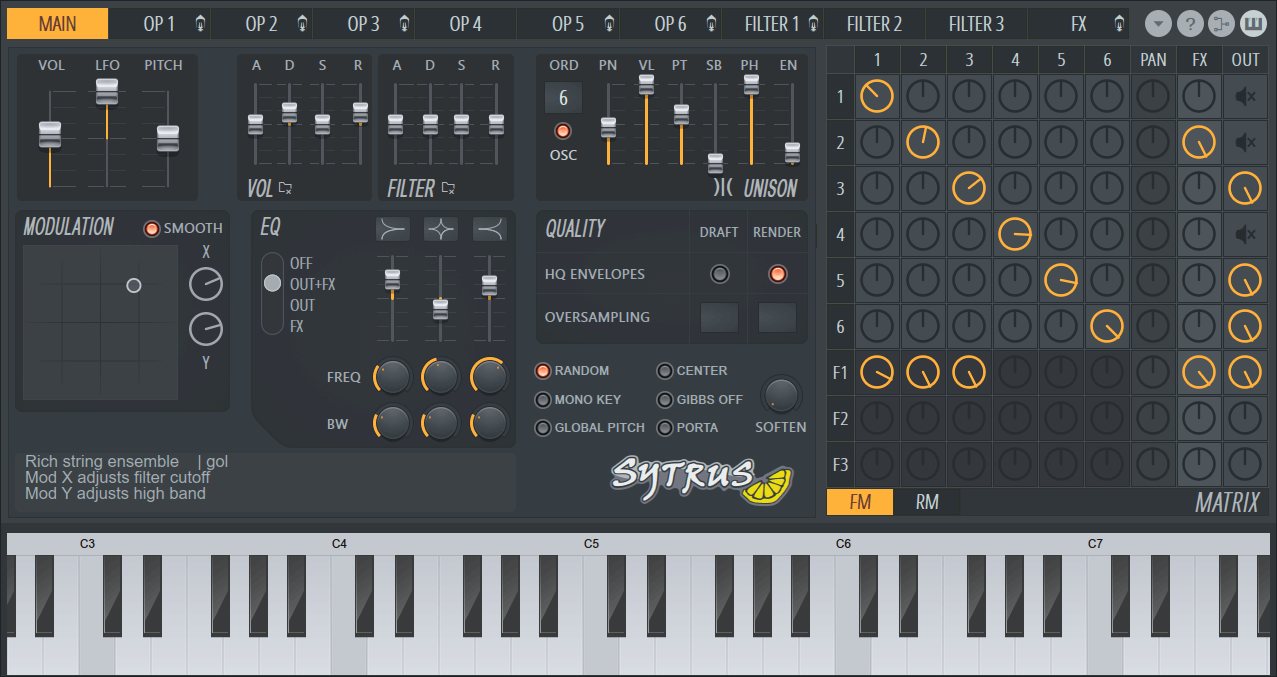
Sytrus is one of FL Studio’s deeper synthesizers. It can create basses, bells, pads, leads, keys and experimental textures. It may feel intimidating at first, but producers who learn it can design sounds that feel more original than basic presets.
For industry-ready production, originality matters. Many beats sound generic because they rely on the same recycled sounds. Sytrus gives producers more control over tone, movement and character. It is especially useful for electronic music, trap, pop, ambient, experimental hip-hop and futuristic R&B.
You do not need to master every part of Sytrus immediately. Start by tweaking presets, adjusting envelopes, changing filters and learning how modulation affects movement. Over time, Sytrus can become a serious sound-design weapon.
Best for: synth bass, bells, pads, leads, electronic textures, custom sounds.
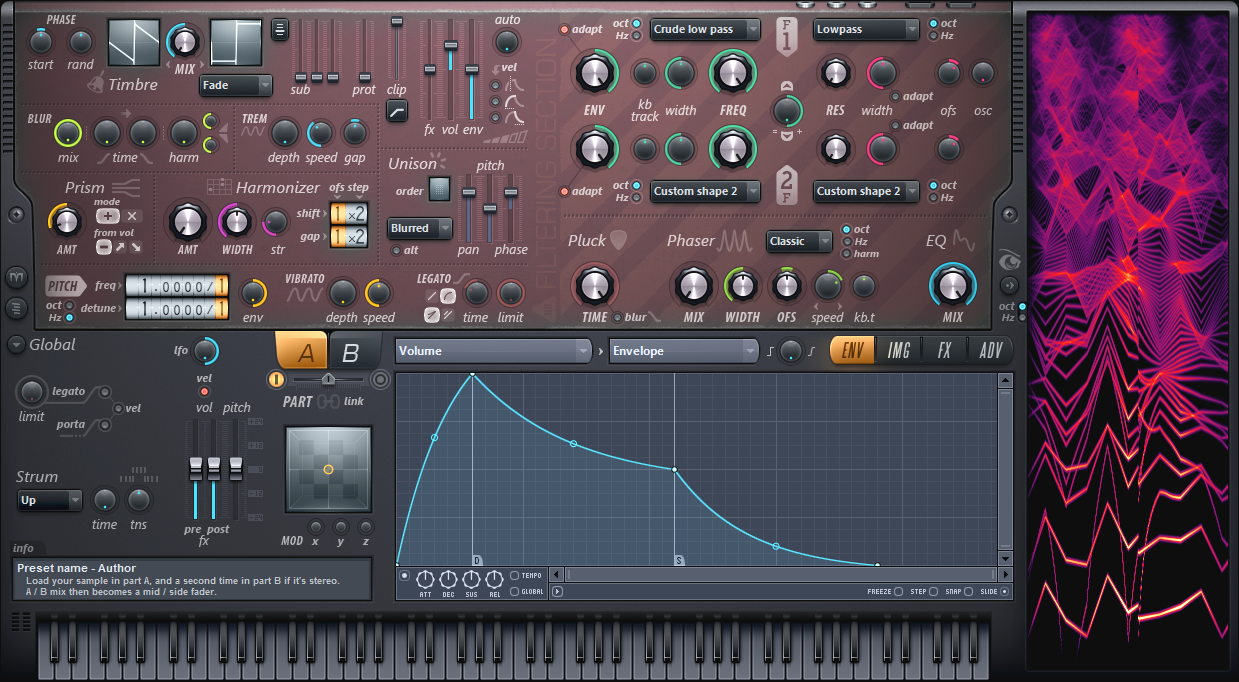
Harmor is another advanced Image-Line instrument that can create complex, polished and unusual sounds. It is especially strong for producers interested in resampling, synthetic textures, aggressive leads, deep pads and futuristic sound design.
Harmor can feel arcane at first, but it rewards producers who want to move beyond ordinary sound selection. In modern production, unique textures can make a beat stand out immediately. A strange pad, a glowing lead or a manipulated vocal-like texture can become the detail that makes a track memorable.
For producers trying to build a personal sonic identity, Harmor is worth learning slowly.
Best for: resampling, advanced synthesis, pads, leads, basses, experimental textures.
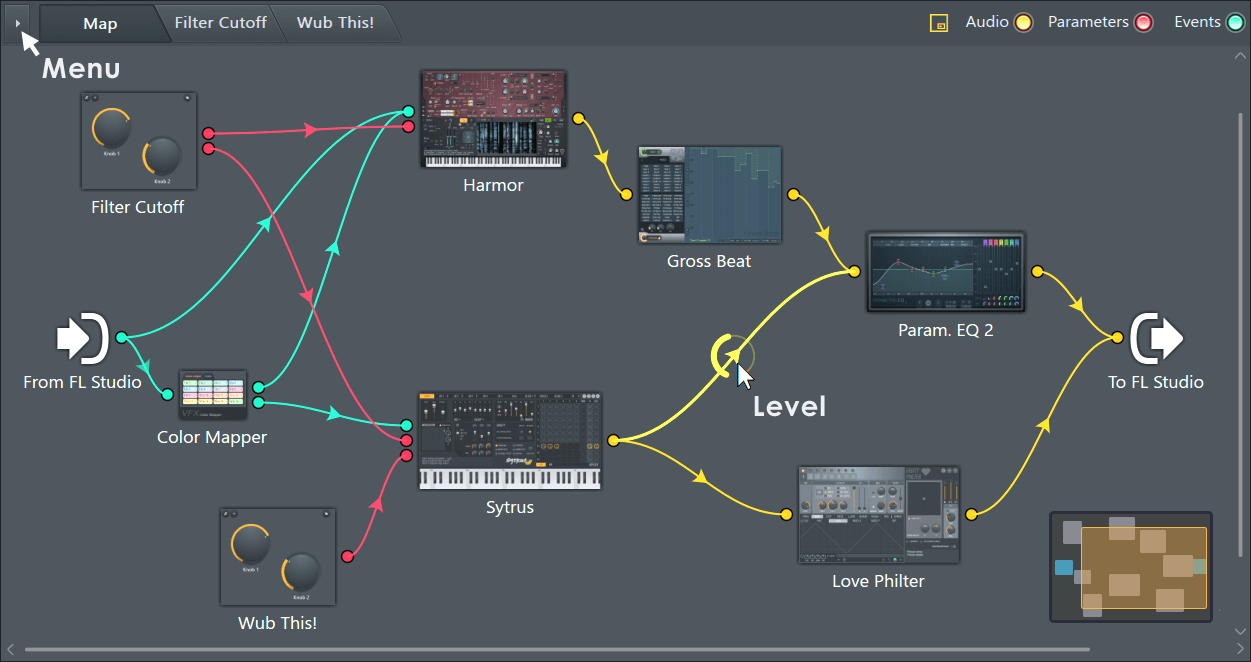
Patcher is one of FL Studio’s most powerful workflow tools because it lets producers build custom chains and combine multiple plugins into one controlled setup. Instead of loading the same vocal chain or drum bus chain manually every time, you can build a Patcher preset and save it.
For industry-ready production, workflow matters. The faster you can get to a clean starting point, the more energy you can spend on creativity. Patcher is excellent for vocal chains, parallel compression setups, mastering chains, sound-design racks and creative multi-effect patches.
A producer who understands Patcher can turn FL Studio into a customized studio environment.
Best for: vocal chains, custom effects, mastering racks, parallel processing, workflow speed.
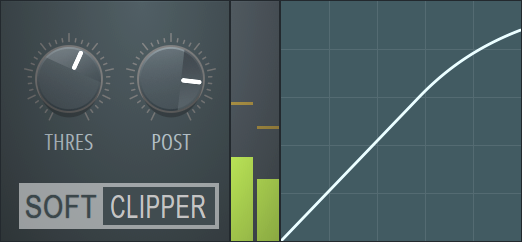
Fruity Soft Clipper is simple but extremely useful. Many FL Studio producers use it to make drums hit harder without harsh clipping. It can add perceived loudness and control peaks, especially on kicks, snares, 808s and drum buses.
For trap, drill, hip-hop, EDM and aggressive pop production, controlled clipping can make drums feel more competitive. However, it must be used carefully. If pushed too far, the mix becomes crunchy and fatiguing. The goal is impact, not destruction.
Soft clipping is one of those small techniques that can make a beat feel more professional when used with good gain staging.
Best for: louder drums, 808 control, drum bus energy, peak management, hip-hop and trap beats.
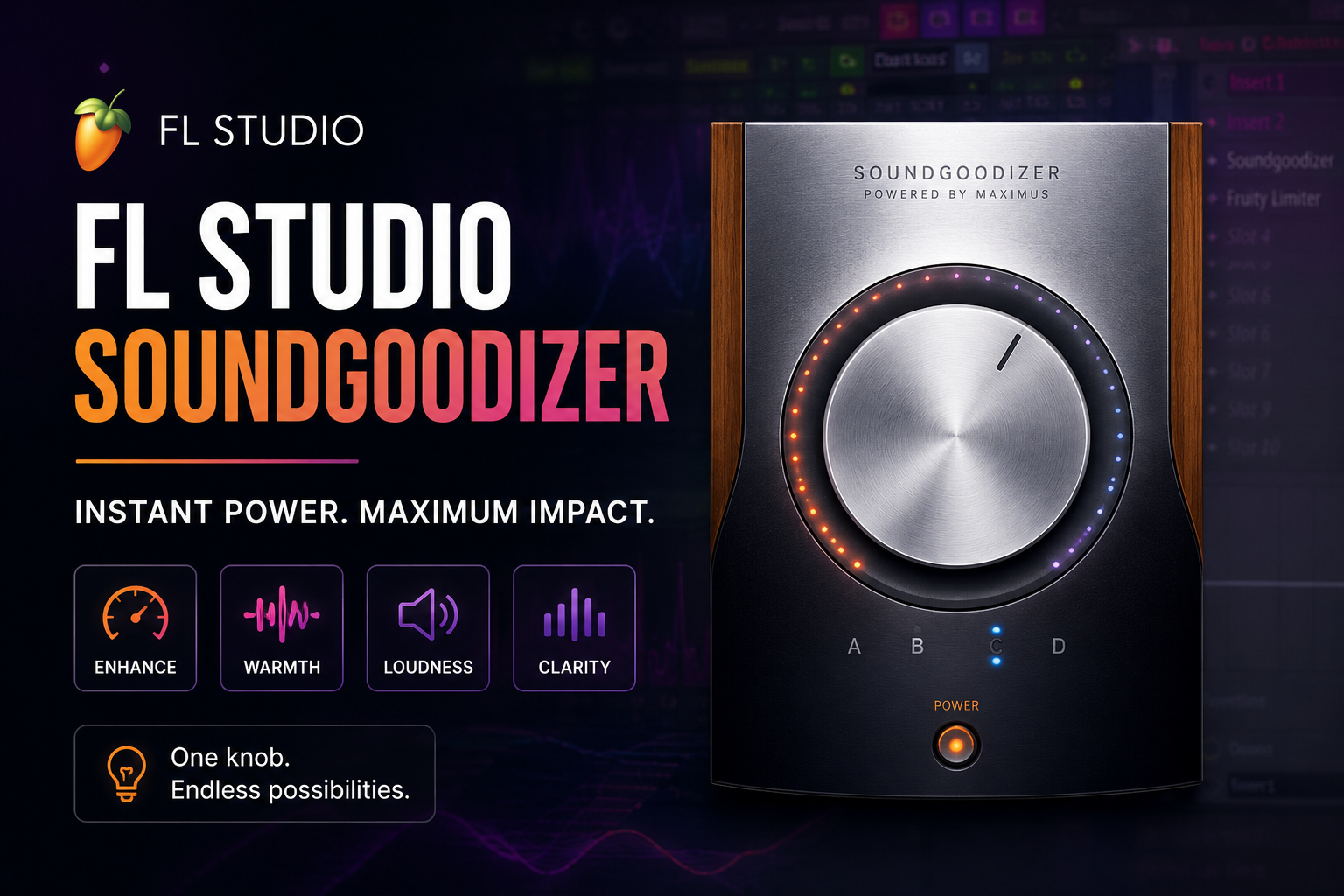
Soundgoodizer deserves a place in any conversation about essential FL Studio plugins because it gives producers a fast way to add weight, brightness and perceived loudness. It is simple, almost suspiciously simple, but that is exactly why so many FL Studio producers use it. With only one main knob and four tonal modes, Soundgoodizer can quickly make drums feel louder, melodies feel fuller, vocals feel more present and 808s feel more aggressive.
The important thing is to use it with restraint. Soundgoodizer can make a sound feel exciting at first, but too much of it can flatten dynamics, exaggerate harsh frequencies and make a mix feel overcooked. It works best as a flavour tool rather than a rescue tool. A little on a drum bus, synth, vocal layer or master chain can add energy, but pushing it too hard can make the track lose depth.
For producers trying to sound industry-ready, Soundgoodizer is useful because it teaches an important lesson: perceived loudness and excitement matter. A mix does not only need to be technically clean. It also needs to feel alive. When used carefully, Soundgoodizer can add that quick extra push without forcing beginners to understand complex multiband processing immediately.
Best for: quick loudness, drum energy, vocal presence, synth thickness, 808 enhancement, beginner-friendly polish.
Best FL Studio Plugin Chain for Industry-Ready Vocals
A strong vocal chain inside FL Studio might begin with Edison for cleanup, then NewTone or Pitcher for tuning, then Fruity Parametric EQ 2 for removing rumble and harshness. After that, Fruity Limiter can control dynamics, Fruity Reverb 2 can create space, and Fruity Delay 3 can add width and movement. Patcher can be used to save the entire chain for future sessions.
The order can change depending on the vocal, but the goal stays the same: clean the recording, tune only where needed, control the dynamics, shape the tone and add space without burying the performance.
A professional vocal should feel present, clear and emotionally connected. It should not sound like a pile of plugins trying to impersonate a good recording.
Best FL Studio Plugin Chain for Beats
For beats, FLEX, Sytrus or Harmor can provide the main musical ideas. Fruity Parametric EQ 2 can clean each sound. Fruity Soft Clipper can help drums hit harder. Gross Beat can add movement to melodies. Fruity Reverb 2 and Fruity Delay 3 can create atmosphere. Maximus can be used carefully on buses or the master to add polish.
The most important part is arrangement. Plugins can improve a beat, but they cannot rescue a boring loop forever. Industry-ready production needs contrast, drops, transitions, switch-ups and space for the artist’s voice.
Best FL Studio Plugin Chain for Mastering
A simple FL Studio mastering chain might include Fruity Parametric EQ 2 for subtle tonal correction, Maximus for multiband control, Fruity Soft Clipper for peak shaping and Fruity Limiter for final level management. Wave Candy can help monitor the result visually.
However, mastering should not be treated as a magic repair stage. A bad mix will not become industry-ready just because Maximus is on the master. The better the mix, the easier the master. The goal is to enhance, not resurrect.
Do You Need Third-Party Plugins to Sound Professional in FL Studio?
Third-party plugins can be useful, but they are not mandatory. Many professional results come from good decisions, not expensive tools. FL Studio’s stock plugins can handle EQ, compression, limiting, reverb, delay, tuning, sound design, editing and mastering. That covers most of what a producer needs.
Third-party plugins become useful when you know exactly what problem you are trying to solve. Maybe you want a specific analogue-style compressor, a more advanced de-esser, a better vocal tuner, a cinematic reverb or a premium limiter. But buying plugins before mastering the stock tools often leads to confusion, not improvement.
The smartest move is to learn FL Studio’s native plugins first. Then, when you upgrade, you will know why you are upgrading.
Final Verdict: The FL Studio Plugins Every Producer Needs
The essential FL Studio plugins every producer should master are Fruity Parametric EQ 2, Fruity Limiter, Maximus, Edison, NewTone, Pitcher, Fruity Reverb 2, Fruity Delay 3, Gross Beat, FLEX, Sytrus, Harmor, Patcher, Fruity Soft Clipper and Wave Candy. Together, these tools can handle the full production process from idea creation to vocal polish, beat arrangement, mixing and mastering.
To sound industry-ready, producers need more than plugins. They need taste, restraint, repetition and sharp listening. FL Studio already gives you a serious toolbox. The difference between amateur and professional is not always what you own. Often, it is how precisely you use what is already in front of you. To understand the money side of streaming and why professional sound matters, check out How Much Do Independent Artists Really Earn From Spotify in 2026?
Enjoyed the read? Consider showing your support by leaving a tip for the writer
Featured









Follow Us


















ALBI. designs “HEARTBEAT” around propulsion. The Brisbane/Meanjin artist layers syncopated synths, distorted bass, and punchy drums into an alt-pop structure that feels engineered for movement, while her crunchy, soaring vocal adds a roughened edge to the song’s otherwise polished momentum. Produced by Song Higginson, the track…